


HOW IT WORKS WITH THEWORD BIBLE SOFTWARE
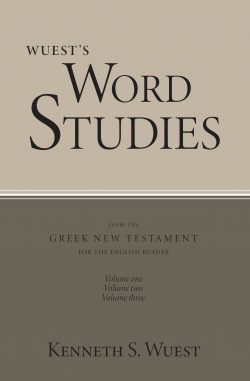
For clarity’s sake, let me start by stating that there are two separate modules that make up the Wuest library. Both can be purchased independently; in fact, they are not available as a package deal.
[If you’re like me, you’ve owned Wuest in multiple formats: think “blue hardbacks.” There is a hybrid module that replicates Vols 1-3. His expanded translation, Vol 4, is it’s own independent general book purchase.]
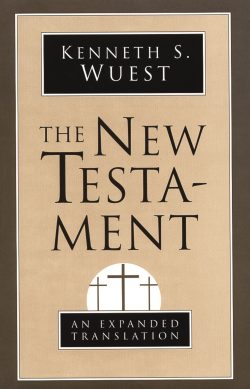
For clarity’s sake, let me continue; the Wuest Expanded Translation of the New Testament is not a TW bible (not in the .ont/.nt format). It is formatted as a .gbk “General Book” module. That means it will not show up in the Bible window, but rather, it will show up with all of your Topical Books. It is broken up with chapters and verses; but again, it is not a TW Bible. All right – on to the rest of the review.
First – let’s start with the hybrid commentary module. Wuest’s comments on the Bible – both his commentaries and his 6 topical books – are all in just one hybrid module. The top screen shot shows all three volumes in this beautifully built hybrid module. The top red arrow points to Volume I (which is in the main window). The second red arrow shows Volume 2. These two red arrows show all of the “commentary” parts of this hybrid module.
 The blue arrow points to Volume 3, which is all of Wuest’s topical content.
Volumes 1-2, from a functional-practical point of view, operate exactly like a commentary. Click the Bible at Rom 3:24, and the Wuest comments for Rom 3:24 (v24-26 actually) pops right up in the window.
Volume 3 operates just like a general book. Click and read away.
Now look at the second screen shot. The red arrow shows you the comments on Rom 3:24-26 (check out how small the slider bar is on the right side of the pic! That’s a lot of comments!).
 What is really cool about this resource can be seen at the yellow arrow. It points to the Greek word for “grace” (charis). But notice how there is both an anglicized and a Greek version for the word? When you right-click the Greek word (xaris), “tw magic” happens. The right-click menu allows you to look up xaris in all of your Greek resources (TDNT10, BDAG, TDNTa, etc.). So click on xaris, and you can immediately see the BDAG entry. But get this: it also finds the entry for “Grace” & “Mercy” in Wuest’s Studies in the Vocabulary of the Greek New Testament (Vol 3)!! Isn’t this cool software??!!
Finally, the blue arrow simply highlights that original pagination has been maintained – making it easy to create “keep your professor happy” footnoting for acacdemic papers.
Secondly, let me show you the Expanded Translation premium module in the third picture. While Wuest didn’t comment on every verse, he did an expanded translation on every verse. So it reads like a Bible translation – a rough, literal, expanded translation (kind of like the Amplified Bible, but “amplifiedier.” PLEASE NOTE: This is not a TWBible, but rather a General Book module. There is not lemma lookup like with a Bible module (click on an English word, see the Strong#, etc.); but you can still use the right-click menu on any individual word and find all kinds of helpful (but not directly lemma related) information.
 So in a Bible window, click on Rom 3:24, and the Wuest Expanded Translation window goes directly to Romans 3 (the Expanded Translation is one chapter per chapter; I know that is a little confusing, but that is the proper way to say it). From there, it reads like a Bible translation laid out in paragraph format with verse numbers inserted. Finding your place is actually very fast. AND you can have three windows open – 1) a Bible; 2) the Wuest hybrid module; and 3) the Wuest expanded translation. These all would work in tandem.
Conclusion
This is another nicely formatted TW module. And as long as you remember that 1) there are two premium modules to purchase; and 2) the Wuest An Expanded Translation is not a TWBible, but a TWBook, you’ll be fine.
I happily recommend Wuest’s works to the TW userbase.







Reviews
There are no reviews yet.